This tutorial shows you how to build multilingual audio transcription applications that process Spanish, French, German, and other non-English languages with high accuracy. You'll learn to configure language-specific settings, handle speaker identification across different languages, and export formatted transcripts ready for your applications.
We'll use Python with the AssemblyAI API to transcribe audio files, detect languages automatically, and process multilingual conversations with speaker diarization. The tutorial covers practical examples for each major European language, including handling special characters, dialect variations, and domain-specific terminology that improves transcription accuracy for business and technical content.
What is audio transcription?
Audio transcription is converting spoken words from recordings into written text using AI models. This means you upload an audio file and get back a text document with everything that was said, including timestamps and speaker identification.
The process works through automatic speech recognition (ASR), which analyzes sound waves and converts them to text. You don't need to manually type anything—the AI models handle the entire conversion process while you work on other tasks.
Here's how automatic transcription differs from manual methods:
Method | Speed | Cost | Best For |
|---|
Manual | 4-6 hours per audio hour | $60-150 per hour | Legal depositions, medical records |
Automatic | 2-5 minutes per audio hour | $0.50-2.00 per hour | Podcasts, meetings, interviews |
The biggest advantage? You can process audio in multiple languages without hiring native speakers for each one.
Prerequisites and setup
You need Python 3.8 or higher and an AssemblyAI account to follow this tutorial, as enterprise transcription adoption continues growing across healthcare, legal, and media sectors. Check your Python version by running python --version in your terminal.
Create a new project directory and set up your environment:
mkdir multilingual-transcription
cd multilingual-transcription
python -m venv venv
source venv/bin/activate  # Windows: venv\Scripts\activate
Install the required packages:
pip install assemblyai python-dotenv
Create a .env file to store your API key securely:
ASSEMBLYAI_API_KEY=your_api_key_here
Set up your main Python file:
import os
import assemblyai as aai
from dotenv import load_dotenv

# Load environment variables
load_dotenv()
aai.settings.api_key = os.getenv('ASSEMBLYAI_API_KEY')
Transcribing Spanish audio
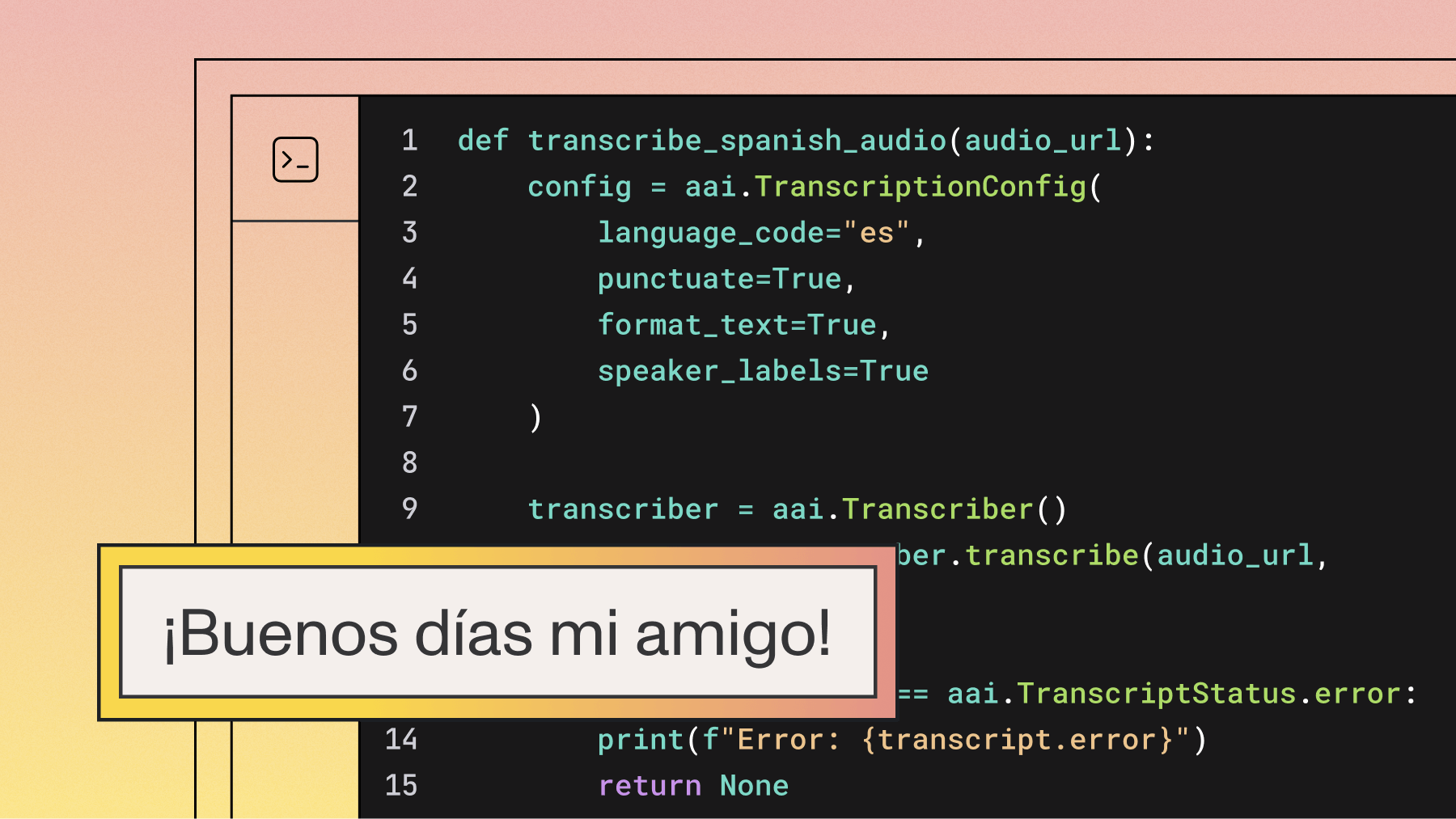
Spanish transcription requires setting the language code to "es" in your configuration. This tells the AI model to use Spanish language patterns and vocabulary for accurate results.
import assemblyai as aai

def transcribe_spanish_audio(audio_url):
    config = aai.TranscriptionConfig(
        language_code="es"
    )

    transcriber = aai.Transcriber()
    transcript = transcriber.transcribe(audio_url, config=config)

    if transcript.status == aai.TranscriptStatus.error:
        print(f"Error: {transcript.error}")
        return None

    return transcript.text

# Example usage
spanish_text = transcribe_spanish_audio("https://example.com/spanish-audio.mp3")
print(spanish_text)
For local files, you need to upload them first:
def transcribe_local_spanish_file(file_path):
    config = aai.TranscriptionConfig(
        language_code="es"
    )

    transcriber = aai.Transcriber()

    with open(file_path, 'rb') as f:
        transcript = transcriber.transcribe(f, config=config)

    # Display with speaker labels
    for utterance in transcript.utterances:
        print(f"Speaker {utterance.speaker}: {utterance.text}")

    return transcript
Key benefits of Spanish transcription:
- Automatic dialect handling: Recognizes Mexican, Argentinian, and European Spanish variations
- Special character support: Handles accented letters (á, é, í, ó, ú, ñ) without extra configuration
- Punctuation formatting: Includes inverted question marks (¿) and exclamation marks (¡)
Start transcribing multilingual audio
Create your AssemblyAI account to run the Spanish, French, and German examples above. Build accurate transcripts with speaker labels and clean formatting.
Get API key
Transcribing French audio
French transcription uses the "fr" language code and handles unique formatting rules automatically. The AI model recognizes French from France, Canada, and other French-speaking regions.
def transcribe_french_audio(audio_url):
    config = aai.TranscriptionConfig(
        language_code="fr",
    )

    transcriber = aai.Transcriber()
    transcript = transcriber.transcribe(audio_url, config=config)

    if transcript.status == aai.TranscriptStatus.completed:
        return transcript.text
    return None

# Transcribe French podcast
french_text = transcribe_french_audio("https://example.com/french-podcast.mp3")
French transcription advantages:
- Proper spacing: Automatically adds spaces before colons, question marks, and exclamation marks
- Contraction handling: Correctly processes l'homme, d'accord, and similar contractions
- Accent recognition: Supports all French accented characters (à, è, é, ê, ë, ç, œ)
Transcribing German audio
German transcription requires special handling for compound words and umlauts. Set the language code to "de" or "de_CH" for Swiss German variants.
def transcribe_german_audio(audio_file):
    config = aai.TranscriptionConfig(
        language_code="de",
        speaker_labels=True
    )

    transcriber = aai.Transcriber()
    transcript = transcriber.transcribe(audio_file, config=config)

    if transcript.status == aai.TranscriptStatus.completed:
        return transcript.text
    return None

# Transcribe German interview
french_text = transcribe_french_audio("https://example.com/german-interview.mp3")
German transcription handles complex language features:
- Compound words: Recognizes long words like "Rechtsschutzversicherungsgesellschaft" as single units
- Capitalization: Automatically capitalizes all nouns following German grammar rules
- Special characters: Correctly processes umlauts (ä, ö, ü) and eszett (ß)
Automatic language detection
Language detection automatically identifies the audio's language when you don't know it beforehand. Automatic Language Detection requires at least 15 seconds of clear speech and analyzes samples from the middle 50% of the audio for best results.
def transcribe_with_language_detection(audio_url):
    # Configure language detection options for better reliability
    language_options = aai.LanguageDetectionOptions(
        expected_languages=["es", "fr", "de", "en"],  # Specify expected languages
        fallback_language="en"  # Default if detection fails
    )

    config = aai.TranscriptionConfig(
        language_detection=True,
        language_detection_options=language_options
    )

    transcriber = aai.Transcriber()
    transcript = transcriber.transcribe(audio_url, config=config)

    if transcript.status == aai.TranscriptStatus.completed:
        return transcript.text

result = transcribe_with_language_detection("mystery_audio.mp3")
print(result)
Detection works best under these conditions:
- Audio length: At least 45 seconds of clear speech
- Audio quality: Minimal background noise and clear pronunciation
- Single language: Consistent language throughout the recording
Try language detection in your browser
Test automatic language detection and transcription on sample audio—no code required. View detected language, confidence, and formatted text instantly.
Open Playground
Handling multiple speakers in multilingual conversations
Speaker diarization identifies who's speaking when in your audio. This feature works with any language but transcribes using one primary language setting per file.
def transcribe_multilingual_meeting(audio_file, primary_language="en"):
    config = aai.TranscriptionConfig(
        language_code=primary_language,
        speaker_labels=True
    )

    transcriber = aai.Transcriber()
    transcript = transcriber.transcribe(audio_file, config=config)

    # Analyze each speaker's participation
    speaker_analysis = {}

    for utterance in transcript.utterances:
        speaker_id = f"Speaker {utterance.speaker}"

        if speaker_id not in speaker_analysis:
            speaker_analysis[speaker_id] = {
                "total_words": 0,
                "speaking_time": 0,
                "segments": []
            }

        speaker_analysis[speaker_id]["total_words"] += len(utterance.text.split())
        speaker_analysis[speaker_id]["speaking_time"] += (utterance.end - utterance.start) / 1000
        speaker_analysis[speaker_id]["segments"].append({
            "text": utterance.text,
            "start_time": utterance.start / 1000
        })

    return speaker_analysis, transcript.text
For conversations with language switching, you can use the code-switching feature:
def handle_code_switching(audio_file, languages=["en", "es"]):
    # Use language_codes parameter for code-switching
    config = aai.TranscriptionConfig(
        language_codes=languages,  # Enable code-switching between languages
        speaker_labels=True
    )

    transcriber = aai.Transcriber()
    transcript = transcriber.transcribe(audio_file, config=config)

    if transcript.status == aai.TranscriptStatus.completed:
        return {
            "text": transcript.text,
            "confidence": transcript.confidence,
            "utterances": list(transcript.utterances),
            "languages_used": languages
        }

    return None
Speaker separation capabilities:
- Automatic detection: Identifies up to 10 different speakers without prior configuration
- Timestamp precision: Provides exact start and end times for each speaker segment
- Cross-language support: Works with all supported languages while maintaining speaker consistency
Exporting transcripts with proper formatting
Different use cases need different export formats. You can export your transcripts as plain text, subtitles, or structured data depending on your needs.
def export_multilingual_transcript(transcript, format_type="txt", filename="transcript"):
    """Export transcript in multiple formats"""

    if format_type == "txt":
        # Clean text for documents
        with open(f"{filename}.txt", "w", encoding="utf-8") as f:
            f.write(transcript.text)

    elif format_type == "srt":
        # Use SDK's built-in subtitle export method
        srt_content = transcript.export_subtitles_srt()
        with open(f"{filename}.srt", "w", encoding="utf-8") as f:
            f.write(srt_content)

    elif format_type == "json":
        # Structured data with metadata
        import json
        export_data = {
            "language": transcript.language_code,
            "duration_seconds": transcript.audio_duration / 1000,
            "text": transcript.text,
            "speakers": [
                {
                    "speaker": utterance.speaker,
                    "text": utterance.text,
                    "start": utterance.start / 1000,
                    "end": utterance.end / 1000
                }
                for utterance in transcript.utterances
            ]
        }

        with open(f"{filename}.json", "w", encoding="utf-8") as f:
            json.dump(export_data, f, indent=2, ensure_ascii=False)
Final words
Multilingual transcription transforms hours of manual work into minutes of automated processing, giving you accurate text in Spanish, French, German, and dozens of other languages. The workflow follows the same pattern regardless of language: configure your settings, submit your audio, and retrieve formatted results with timestamps and speaker identification.
AssemblyAI's Universal model handles the complexity of different languages, dialects, and audio conditions while maintaining high accuracy across accented speech and technical terminology. The API provides consistent performance whether you're processing a single file or building applications that handle thousands of multilingual audio files daily.
Try building your multilingual transcriber
Use the API to handle language detection, speaker diarization, and formatted exports at scale. Sign up to integrate these features into your app.
Get API key
Frequently asked questions
What audio file formats work with multilingual transcription?
You can use MP3, WAV, MP4, FLAC, and most other common audio formats. The system automatically converts formats during processing, so you don't need to prepare files in specific formats.
How accurate is transcription for Spanish compared to English?
Spanish transcription typically achieves similar accuracy to English when audio quality is good. Accuracy depends more on factors like background noise, speaker clarity, and microphone quality than on the specific language being transcribed.
Can I transcribe audio that switches between multiple languages?
Yes, you can use the code-switching feature by setting the language_codes parameter in TranscriptionConfig with multiple language codes (e.g., ["en", "es"]). This allows the model to accurately transcribe conversations where speakers switch between languages.
What happens if I set the wrong language code for my audio?
Setting an incorrect language will significantly reduce accuracy and may produce garbled text. Use automatic language detection if you're unsure, or listen to a sample to identify the language before transcribing.
How long does it take to transcribe a 1-hour German audio file?
A 1-hour file typically completes in under a minute, often in less than 45 seconds, thanks to a Real-Time-Factor (RTF) as low as 0.008x.
Do I need different API keys for different languages?
No, your single AssemblyAI API key works for all supported languages. You only need to change the language_code parameter in your configuration to switch between languages.
Title goes here
Lorem ipsum dolor sit amet, consectetur adipiscing elit, sed do eiusmod tempor incididunt ut labore et dolore magna aliqua. Ut enim ad minim veniam, quis nostrud exercitation ullamco laboris nisi ut aliquip ex ea commodo consequat. Duis aute irure dolor in reprehenderit in voluptate velit esse cillum dolore eu fugiat nulla pariatur.




%20benchmark%20might%20be%20lying%20to%20you%20(1).png)
.png)