Biggest challenges in building AI voice agents (and how AssemblyAI & Vapi are solving them)
Building AI Voice Agents comes with challenges like handling interruptions, background noise, and latency. Learn how AssemblyAI & Vapi are solving them for faster, smarter voice AI.


Everyone can build a voice agent demo. The demo is not the hard part.
The hard part is call number four thousand, when someone interrupts your agent mid-sentence from a car with the windows down, spells their last name, switches to Spanish for one clause, and then says "yeah" in a way that could mean yes or could mean keep going. Your demo doesn't cover that. Production does.
We spent a livestream with Vapi's CEO Jordan Dearsley going through exactly these failure modes — the ones that don't show up until you have real traffic. AssemblyAI builds the speech layer; Vapi builds the orchestration layer on top. Between the two of us we see a lot of ways a voice agent falls over.
So this is the honest list. Four problems that break agents in production, what's actually causing each one, and what the fix looks like now — in 2026, with Universal-3.5 Pro Realtime and Vapi's workflow engine — versus what the fix looked like when the original version of this post went up.
What are AI voice agents?
An AI voice agent is a system that understands spoken language and responds in real time, holding an actual conversation rather than routing you through a menu. Customer service, sales qualification, appointment scheduling, order tracking.
The difference from a text chatbot isn't the interface. It's four capabilities that only matter when speech is involved:
- Context retention — remembering what was said 40 seconds ago, including things the user won't repeat.
- Natural interruptions — stopping mid-sentence when the user starts talking, without treating every "mhm" as an interruption.
- System integration — actually doing the thing: booking, looking up, updating a record.
- Emotional awareness — noticing frustration and escalating before the user starts shouting.
Every one of those is harder in voice than in text, and three of the four depend on how good your transcription is.
How AI voice agents work
Three models in a loop, running in milliseconds:
- Speech-to-text turns the caller's audio into words.
- A language model decides what to say and which tools to call.
- Text-to-speech turns the reply back into audio.
Then it repeats, for the length of the call, without anyone noticing the seams.
The thing teams underestimate is how much the first stage constrains the other two. If speech-to-text hands the LLM "my order is 4 7 3 2" when the caller said "my order is 4732", no amount of prompt engineering fixes the downstream behavior. And if the speech layer takes 800ms to decide the caller is done talking, your total latency budget is already blown before the LLM has seen a token.
Get the speech layer right and the rest of the stack gets easier. Get it wrong and you spend months patching symptoms.
Use cases and applications
Where teams are actually deploying these:
- Customer support automation. Handling the repeatable tier-one volume — order status, password resets, appointment changes — and handing off cleanly when a call gets complicated.
- Outbound sales and lead qualification. Working a list, asking qualifying questions, booking the meeting when someone's interested.
- Appointment scheduling. Booking, rescheduling, and reminding, which sounds simple until the agent has to get a date of birth and a medication name exactly right.
- Order placement and tracking. Drive-thrus, phone orders, delivery status — the loud-environment category.
What these have in common: they're all entity-heavy. Names, numbers, dates, addresses, SKUs. That's what the agent spends its time collecting, and it's the thing generic accuracy scores hide. More on that in our contact center writeup and real-time conversation intelligence.
Challenge 1: Interruptions and overlapping speech
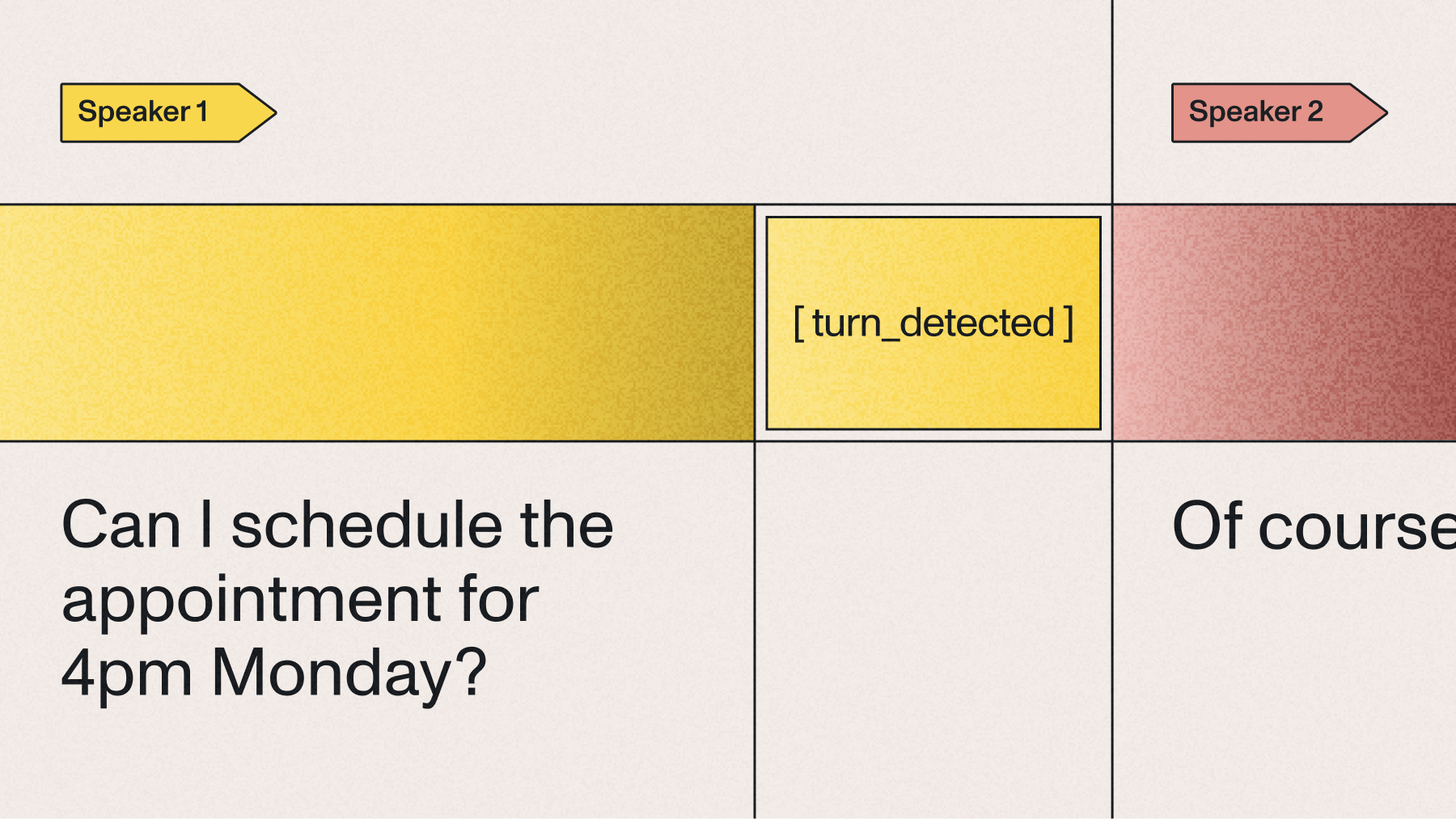
Rigid turn-taking is the fastest way to make an agent feel robotic. The user starts talking, the agent keeps going, they talk over each other, and by the second collision the user has given up and is mashing zero.
Two things have to work at once here. The agent has to notice speech fast enough to stop talking, and it has to be right about whether that speech was actually an interruption. Get the first one wrong and barge-in feels laggy. Get the second one wrong and every "uh-huh" kills the agent mid-sentence.
Universal-3.5 Pro Realtime emits its first partial transcript early enough to drive barge-in — you can tune how early, trading confidence in that first partial against speed. Vapi's orchestration layer handles the other half: deciding whether the detected speech should actually cancel the agent's response, which is a policy question, not a speech question. A backchannel "mhm" during a long explanation shouldn't stop it. "No, wait" should.
The split is the point. We tell you what was said and when. Vapi decides what to do about it.
Challenge 2: Maintaining context in conversations
The agent asks for your email address. You say it. Three turns later it asks again, because the transcription came back as "user at assemblyai dot com" and nothing downstream could parse it.
That's not a memory problem. That's a transcription problem wearing a memory problem's clothes.
Universal-3.5 Pro Realtime fixes it at the source with two features:
agent_context lets you pass your agent's own last spoken line into the model, so it transcribes the user's reply knowing what question was asked. After "what's your email address?", it produces user@assemblyai.com. Across a benchmark of 20,000 voice agent audio files, passing agent context cut word error rate by 10.2% — fabrications down 18.3%, hallucinations down 17.2%, place-name entities down 15.5%, short-utterance errors down 13.7%. The effect is largest exactly where agents struggle most: one-word answers, spelled-out identifiers, and times like "7pm."
Context Carryover keeps a short rolling memory of prior turns, on by default, no configuration required. The conversation supplies its own context, which means fewer terms you have to predefine up front.
agent_context and Context Carryover are both included in the base price — they aren't add-ons.
On top of that, Vapi's structured workflows store the details that matter across the session rather than trusting the LLM to hold them in its context window. An LLM asked to remember an account number for twelve turns will sometimes remember a different account number. A workflow variable won't. Structured state doesn't eliminate hallucination, but it removes a lot of the room the model has to improvise.
Here's Foysal Osmany, a software engineer at Fireflies, on evaluating the model for their own voice agent pipeline:
We were searching for the best realtime ASR model for our voice agent pipeline in Fireflies. The new Universal 3.5 Pro speech model from Assembly is best so far in terms of accuracy, latency and language switching.
Challenge 3: Background noise and background speech
A human on a call filters automatically. You hear the person you're talking to and tune out the TV, the dog, the coworker two desks over. A speech model doesn't do that by default — it transcribes everything it's given, and every extra voice is a chance to put words in your caller's mouth.
The old advice was to run noise cancellation on the client before sending audio. That advice was wrong, and it's worth being blunt about why: aggressive client-side denoising introduces artifacts, and those artifacts usually cost you more accuracy than the noise did. You clean the audio and the transcript gets worse.
Universal-3.5 Pro Realtime handles it server-side instead, with voice_focus. It isolates the primary speaker and suppresses everything else — background chatter, keyboard clicks, fan hum, room echo — before the audio reaches the model. Two settings cover most deployments:
- near-field for headsets, handsets, and other close-talking mics. The typical contact center or mobile-app case.
- far-field for conference rooms, laptop mics, kiosks, and drive-thrus, where the speaker is several feet away and the room is doing its own thing.
There's an optional threshold if you want to tune how aggressively it suppresses. Voice isolation is +$0.10/hr on top of the $0.45/hr base.
For genuinely hostile audio, pair it with the max_accuracy mode and put your domain vocabulary into keyterm prompting — up to 100 terms, included. Product names, drug names, street names, whatever your callers say that a general model wouldn't expect.
Vapi exposes these as transcriber settings on the assistant, so you can set them per-agent rather than globally. A drive-thru agent and a headset support agent shouldn't be running the same audio configuration.
Challenge 4: Latency
Past about a second of silence, a conversation stops feeling like a conversation. The user starts talking again, or repeats themselves, or assumes the call dropped.
Most teams attack this by shaving milliseconds off inference. That helps, but it usually isn't where the time is going. The bigger cost is almost always deciding the user is finished talking.
Traditional voice pipelines wait out a fixed silence window — 700ms, 1000ms — and then declare the turn over. Every single turn pays that tax, whether the user obviously finished a sentence or genuinely trailed off mid-thought. And the window can't win: short enough to feel fast means cutting people off mid-number.
Universal-3.5 Pro Realtime doesn't just count silence. End-of-turn detection reads the punctuation it predicts — the signal a finished sentence leaves behind, which tells you someone's done — and lands around 300ms. That's not a shorter timer. It's a different mechanism, and it's why the model can be fast without chopping "my number is 415..." in half.
Above that, the mode presets replace the pile of low-level flags teams used to hand-tune:
Pick a target, then fine-tune the individual levers if you need to. Most teams don't.
One implementation note that costs people real latency: if your orchestrator applies its own endpointing delay on top of ours, you're paying twice. Check that setting. We've seen teams blame the model for turn latency that was entirely a stacked delay in the framework above it.
If you'd rather not tune any of this, the Voice Agent API runs the whole loop — speech, LLM, and voice — over one WebSocket at about 1 second end-to-end, flat $4.50/hr. That's the trade: less control, no orchestration to tune. More on how that works here.
The accuracy numbers underneath all of this
On Pipecat's open STT benchmark, run on real agent conversations rather than clean read speech:
Read the entity row, not the WER row. For a voice agent, the entity error rate is the product metric — it's the rate at which your agent gets the order number, the callback number, or the patient's name wrong. There's more on why aggregate WER misleads in why your WER benchmark might be lying to you, and the launch post carries the full set; wider comparisons are on the benchmarks page.
How to implement an AI voice agent
Four steps, in the order that actually works.
1. Define the job and how you'll know it's working
Pick one workflow, not five. Then pick the metric before you build: containment rate, average handle time, booking completion, escalation rate. "It sounds good" is not a metric, and it's how teams end up shipping an agent nobody can evaluate.
2. Choose your stack
That last row is the option that didn't exist when this post was first written. If you don't need to choose your own TTS voice or run your own LLM, it removes the integration work entirely.
3. Integrate and configure
The settings that decide whether your agent feels good:
- agent_context — feed the agent's last line back in. Included, and worth 10.2% WER.
- voice_focus — near-field or far-field, matched to how your callers actually hold a microphone.
- mode — start at balanced, move to max_accuracy if your audio is rough.
- Keyterm prompting — up to 100 terms. Your vocabulary, not the internet's.
- language_codes — steer toward the languages your callers actually speak, if you know them.
- Live diarization — real-time speaker labels with a single re-clustering correction within about half a second of the stream ending, up to 10 speakers. How that works.
4. Test on your own audio, then keep testing
Build a folder of your own worst recordings — the noisy one, the accented one, the one where someone spells a name, the one where a caller switches languages. Re-run it every time you change a setting.
That folder will tell you more than any public benchmark, including ours. Your agent doesn't have to be good at average audio. It has to be good at your audio.
The future: modularity, and knowing when you don't need it
The bet in the original version of this post was that modular stacks would win over single end-to-end speech-to-speech models — that teams would want to pick their own speech-to-text, their own LLM, and their own voice. Eighteen months on, that's held up. Vapi's whole business is that flexibility, and the teams shipping the most sophisticated agents are the ones exercising it.
But there's a second thing happening that we didn't call, and it's worth being straight about: most teams don't need that flexibility on day one, and it costs them weeks to discover that.
So the split now looks like this. If your differentiation is the conversation — the flows, the tools, the domain knowledge — start with something that handles the plumbing and get to production. If your differentiation is genuinely in the stack — a specific voice, a local model, a latency budget nobody else has — then assemble it, and use an orchestrator so you're only owning the parts you need to own.
What's improving underneath both, quickly: accuracy on hard audio, code-switching that doesn't need a language-detection pass, end-of-turn detection that reads how someone is speaking rather than how long they've been quiet, and emotional signal that's good enough to route on.
The thing that actually separates good agents from bad ones
Here's what a year of watching production deployments has convinced me of, and it isn't about models.
Every one of these four challenges — interruptions, context, noise, latency — has a technical fix available today. None of them is an open research problem anymore. And yet plenty of agents in production still handle all four badly.
The difference isn't which vendor they picked. It's that the good teams treat their voice agent as a system with a feedback loop, and the bad ones treat it as a feature they shipped. The good ones listen to failed calls every week. They know their entity error rate on their audio, not on a benchmark. They notice that the agent gets Spanish surnames wrong and add them to keyterms the same day.
Voice is the only interface where your users hand you a perfect recording of every failure. Most teams never listen to them.
That's the whole edge. The models are good now. The teams that win are the ones paying attention to what their own callers are saying.
Frequently asked questions
What's the difference between an AI voice agent and a chatbot?
An AI voice agent understands and responds to spoken language in real time, while a chatbot handles typed text. That difference forces four capabilities a chatbot never needs: detecting when a user is finished speaking, stopping mid-sentence when they interrupt, transcribing names and numbers accurately enough to act on, and doing all of it inside a latency budget short enough to feel like a conversation. A voice agent is a chatbot plus a real-time speech pipeline, and the speech pipeline is where most of the engineering difficulty lives.
What is acceptable latency for an AI voice agent?
Keep total round-trip latency under about one second — past that, callers repeat themselves or assume the line dropped. Most of that budget goes to deciding the user has stopped talking, which is why Universal-3.5 Pro Realtime detects end-of-turn at around 300ms by reading the punctuation it predicts instead of waiting out a fixed silence window. AssemblyAI's Voice Agent API runs the full speech-to-LLM-to-voice loop at roughly 1 second end-to-end over a single WebSocket.
How many languages can an AI voice agent support in real time?
Universal-3.5 Pro Realtime supports 18 languages in real time with mid-sentence code-switching — English, Spanish, French, German, Italian, Portuguese, Arabic, Danish, Dutch, Hebrew, Hindi, Japanese, Mandarin, Vietnamese, Finnish, Norwegian, Swedish, and Turkish, Hinglish included. Code-switching is native to the model, so a caller can switch languages inside a single sentence without a detection pass or a model swap. For pre-recorded audio, Universal-3.5 Pro covers the same 18 languages natively, and Universal-2 extends coverage to 99+ languages.
How do I stop background noise from ruining voice agent transcripts?
Use server-side voice_focus, which isolates the primary speaker and suppresses background chatter, keyboard clicks, and room echo before the audio reaches the model — near-field for headsets and handsets, far-field for conference rooms, kiosks, and drive-thrus. Avoid running your own client-side noise cancellation on top; the artifacts it introduces typically cost more accuracy than the original noise. For especially difficult audio, combine voice_focus with the max_accuracy mode and load your domain vocabulary into keyterm prompting.
What should an AI voice agent do when it doesn't understand someone?
It should acknowledge the gap, ask one specific clarifying question, and escalate to a human if the second attempt fails — not loop the same prompt. Most "the agent didn't understand me" moments are actually transcription failures on entities: an account number, a street name, a surname. Passing agent_context so the model knows what question was asked cut word error rate by 10.2% across 20,000 voice agent audio files, with short-utterance errors down 13.7%, which removes a large share of those loops before they start.
How do AI voice agents connect to business systems like a CRM or scheduler?
Through tool calls: the agent's LLM invokes a function you define, your backend executes it against the CRM, scheduler, or order system, and the result comes back into the conversation. Orchestration platforms like Vapi let you define these as workflow steps with conditional logic, so a booking flow follows a defined state machine rather than depending on the model to remember its own instructions. AssemblyAI's Voice Agent API can also run HTTP tools server-side, so credentials stay off the client.
Should I build a custom voice agent stack or use an orchestrator?
Use an orchestrator like Vapi when your differentiation is the conversation design and you want call analytics, provider flexibility, and interruption handling without building them yourself. Build a custom stack when you have a hard requirement an abstraction can't accommodate — a specific TTS voice, a locally hosted LLM, or a latency budget you need to own end to end. Either way the speech layer can be the same: Universal-3.5 Pro Realtime runs at $0.45/hr base in both, with agent_context, Context Carryover, and keyterm prompting included.
Lorem ipsum dolor sit amet, consectetur adipiscing elit, sed do eiusmod tempor incididunt ut labore et dolore magna aliqua. Ut enim ad minim veniam, quis nostrud exercitation ullamco laboris nisi ut aliquip ex ea commodo consequat. Duis aute irure dolor in reprehenderit in voluptate velit esse cillum dolore eu fugiat nulla pariatur.
Related posts
.png)