Large-scale audio transcription: Handling hours of content efficiently
Large-scale audio transcription converts thousands of audio files into accurate, searchable text quickly. Process hours of content efficiently with batch tools.


Large-scale audio transcription converts thousands of pre-recorded audio files into text simultaneously rather than sequentially. This batch processing approach handles entire audio libraries—from years of customer service recordings to complete podcast catalogs—with total completion time determined by your longest file, a key benefit of its asynchronous architecture. Unlike real-time transcription that processes live audio streams, batch transcription prioritizes throughput over latency.
This guide shows you how to architect and implement production-ready batch transcription systems using Python and modern Voice AI APIs. You'll learn when batch processing makes sense over real-time alternatives, how to optimize audio for maximum accuracy, and how to build resilient systems that handle thousands of concurrent jobs. By the end, you'll understand the complete pipeline from audio preprocessing through multi-format export, including speaker diarization, confidence scoring, and error handling strategies that scale from hundreds to millions of audio files.
What is large-scale audio transcription and when do you need it
Large-scale audio transcription converts thousands of pre-recorded audio files into text simultaneously rather than sequentially. This batch processing approach handles entire audio libraries—from years of customer service recordings to complete podcast catalogs—with total completion time determined by your longest file, a key benefit of its asynchronous architecture. Unlike real-time transcription that processes live audio streams, batch transcription prioritizes throughput over latency.
You need batch processing when sequential processing creates unacceptable delays. Key indicators include:
- Volume threshold: Processing 100+ audio files regularly
- Time constraints: Need results within minutes, not days or weeks
- Business applications: Media asset management, call center analytics, podcast transcription
Batch systems eliminate bottlenecks by processing all jobs concurrently.
What architecture handles hours of audio efficiently
Large-scale audio transcription is processing thousands of audio files at once instead of one at a time. This means you can transcribe entire podcast libraries or years of meeting recordings simultaneously rather than waiting for each file to finish before starting the next.
The key difference is asynchronous processing versus synchronous processing. Synchronous processing is like washing dishes one by one—you finish washing one dish completely before starting the next. Asynchronous processing is like loading a dishwasher—you put all the dishes in at once and they all get cleaned simultaneously.
Here's what makes async batch transcription work:
- Concurrent job submission: Upload and start processing thousands of files at the same time
- Status monitoring: Check which jobs are done without stopping the ones still running
- Result collection: Gather completed transcripts as they finish, not in any particular order
- Error handling: Retry failed jobs without affecting successful ones
You have two ways to track job progress: polling and webhooks. Polling means you periodically check job status yourself. Webhooks mean the transcription service notifies you when jobs complete.
While the Python SDK's transcribe_group method handles polling automatically, for custom implementations or event-driven architectures, webhooks are a robust and scalable alternative. They eliminate the need for periodic checks by notifying your application as soon as jobs complete, which is often more efficient for large-scale production systems.
Audio preprocessing for optimal transcription accuracy
Audio preprocessing improves transcription accuracy and reduces processing errors. Key optimization areas:
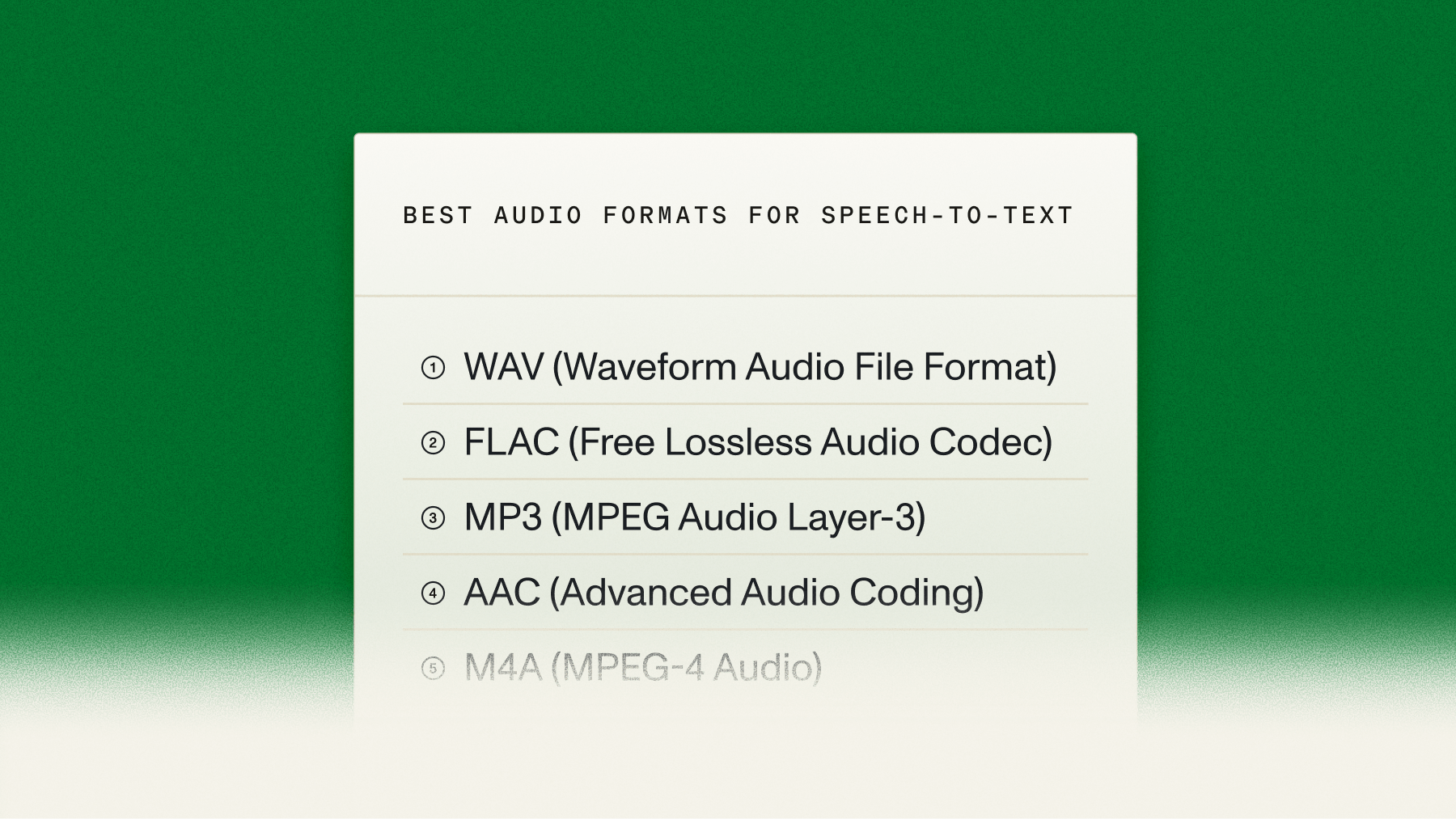
File format selection:
- Compressed formats (MP3, M4A): Balance quality and file size for most use cases
- Lossless formats (FLAC, WAV): Maximum fidelity when storage isn't a concern
Audio quality enhancement:
- Noise reduction: Apply filtering for background noise before submission
- Channel optimization: Process separate channels individually for better speaker separation
How to implement async batch transcription in Python
You'll build this batch transcription system in three simple steps. The AssemblyAI Python SDK now includes a built-in method for batch processing that handles concurrent submission and result collection, dramatically simplifying the workflow.
Set up the AssemblyAI Python SDK and authenticate
Install the AssemblyAI SDK using pip:
pip install assemblyaiSet your API key as an environment variable for security:
export ASSEMBLYAI_API_KEY="your-api-key-here"Create your Python script and set up the client:
import assemblyai as aai
import os

# Set up authentication
aai.settings.api_key = os.environ.get("ASSEMBLYAI_API_KEY")

# Create a transcriber object
transcriber = aai.Transcriber()
Never put your API key directly in your code. With data privacy being a major consideration for developers—a 2025 market survey found that over 30% cite security as a significant challenge—using environment variables is a critical practice to keep your credentials secure even if someone sees your source code.
Submit and transcribe your batch of audio files
The SDK's transcribe_group method allows you to submit a list of audio file URLs and transcribe them all concurrently. The method handles the entire process of submission, polling for completion, and collecting the results for you.
First, prepare a list of publicly accessible URLs for your audio files:
# A list of audio file URLs to transcribe
audio_urls = [
    "https://storage.example.com/meeting1.mp3",
    "https://storage.example.com/meeting2.mp3",
    "https://storage.example.com/podcast1.mp3",
    "https://storage.example.com/invalid_url.mp3" # Example of a failed job
]
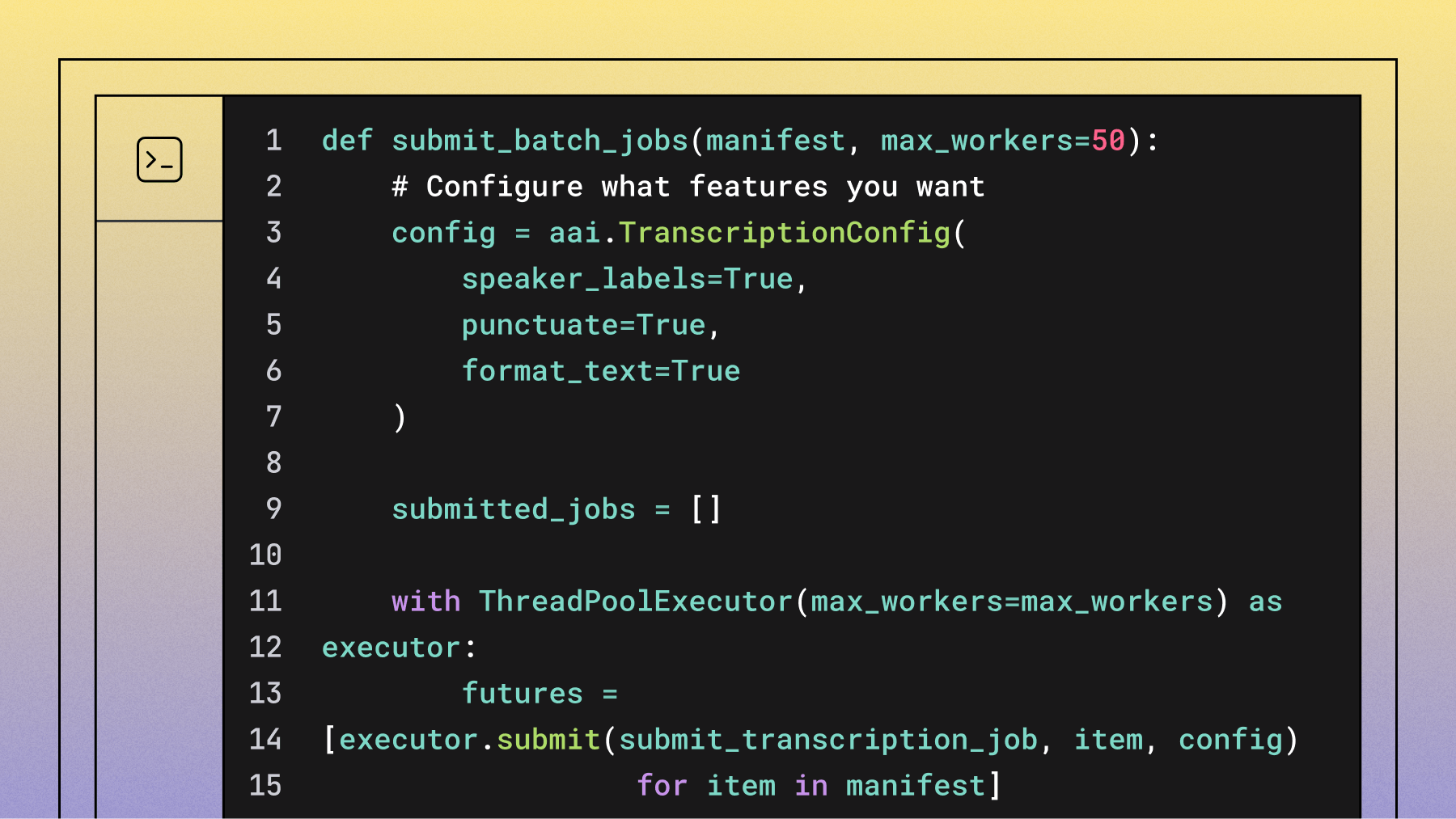
Next, create a TranscriptionConfig to specify the models and features you want to use. It's best practice to explicitly select your desired models using the speech_models parameter.
# Configure transcription features
config = aai.TranscriptionConfig(
    speech_models=["universal-3-pro", "universal-2"], # Explicitly select models
    speaker_labels=True,
    punctuate=True,
    format_text=True
)
Finally, call transcribe_group with your list of URLs and the configuration. The SDK will process all files and return a TranscriptGroup object that you can iterate over directly.
# Transcribe the batch of files
transcripts = transcriber.transcribe_group(audio_urls, config=config)
Key configuration options:
- speech_models=["universal-3-pro", "universal-2"]: Prioritizes the Universal-3 Pro model for supported languages and falls back to Universal-2 for others, ensuring the best accuracy and language coverage. Note that Universal-3 Pro supports English, Spanish, German, French, Portuguese, and Italian; Universal-2 covers 99 languages and serves as the recommended fallback for anything outside that set.
- speaker_labels=True: Identifies who's speaking when.
- punctuate=True: Adds proper punctuation.
- format_text=True: Capitalizes sentences correctly.
Export transcripts in multiple formats
The transcribe_group method returns a TranscriptGroup object. You can iterate over it directly, check the status of each job, and export the results in your desired format. The SDK provides built-in methods for exporting to common formats like SRT.
Here's how to process the results and export them into different formats:
output_dir = "transcripts"
os.makedirs(output_dir, exist_ok=True)

for transcript in transcripts:
    if transcript.status == aai.TranscriptStatus.error:
        print(f"Transcription failed for {transcript.audio_url}: {transcript.error}")
        continue

    # Use a unique identifier from the URL
    # In a real application, you might use a database ID or other metadata
    file_id = os.path.basename(transcript.audio_url).split('.')[0]

    # Export as plain text
    txt_path = os.path.join(output_dir, f"{file_id}.txt")
    with open(txt_path, 'w', encoding='utf-8') as f:
        f.write(transcript.text)
    print(f"Saved text to {txt_path}")

    # Export as SRT subtitles using the built-in SDK method
    srt_path = os.path.join(output_dir, f"{file_id}.srt")
    srt_subtitles = transcript.export_subtitles_srt()
    with open(srt_path, 'w', encoding='utf-8') as f:
        f.write(srt_subtitles)
    print(f"Saved SRT to {srt_path}")

    # Export a text file with speaker labels
    if transcript.utterances:
        speakers_path = os.path.join(output_dir, f"{file_id}_speakers.txt")
        with open(speakers_path, 'w', encoding='utf-8') as f:
            for utterance in transcript.utterances:
                f.write(f"Speaker {utterance.speaker}: {utterance.text}\n")
        print(f"Saved speaker-labeled text to {speakers_path}")
This approach is concise and robust, leveraging the SDK's built-in capabilities to handle the complexity of batch processing.
Advanced configuration options for production transcription
Production transcription systems require advanced configuration for optimal results:
Accuracy optimization:
- Keyterms Prompting: Use the
keyterms_promptparameter to boost the recognition of up to 1,000 specific terms, names, and industry jargon. This is highly effective for improving accuracy on domain-specific vocabulary that might otherwise be misinterpreted. - Natural Language Prompting: With the Universal-3 Pro model, use the
promptparameter to provide contextual information and instructions, which can significantly improve transcription accuracy and formatting for specialized content. - Speaker count hints: If you know the number of speakers, use the
speakers_expectedparameter to improve diarization accuracy. For more flexibility, themin_speakers_expectedandmax_speakers_expectedparameters are often a better choice.
Quality control automation:
- Confidence thresholds: Flag transcripts with an overall confidence score below a certain threshold (e.g., 90%) for human review.
- Error handling workflows: Automatically route transcripts with an
errorstatus to a retry queue or a manual review process.
How to plan throughput and cost for large batches
Planning your batch processing means understanding how long it takes and how much it costs. The good news: processing time doesn't increase much with more files, and the API is fast.
When you process files concurrently, your total time equals roughly the longest individual file's processing time. AssemblyAI transcribes at very high speed—a 1-hour audio file typically processes in around 30–45 seconds. A thousand 1-hour files finish in roughly that same window, since they run in parallel.
One thing to plan for: by default, the API processes up to 200 jobs simultaneously. Once that limit is reached, additional jobs queue automatically and process as slots open—nothing is dropped or lost. For high-volume production pipelines regularly pushing beyond that, you can request a higher concurrency limit from the AssemblyAI team at no additional cost. For workloads requiring hundreds of concurrent submissions per minute, using the raw async HTTP API directly gives you more fine-grained control than transcribe_group, which manages its own internal worker pool.
Pricing is based on the total duration of audio transcribed. As of early 2026, our Universal-2 model is priced at $0.15/hour and our Universal-3 Pro model is $0.21/hour.
Here's how to estimate costs and timing:
def estimate_batch_cost(manifest, price_per_hour=0.15): # Using Universal-2 pricing
    total_seconds = sum(item.get('duration', 0) for item in manifest)
    total_hours = total_seconds / 3600
    estimated_cost = total_hours * price_per_hour

    return {
        'total_files': len(manifest),
        'total_hours': round(total_hours),
        'estimated_cost': round(estimated_cost, 2)
    }
Cost optimization tips:
- Only enable features you need: Features like Speaker Diarization add to the total processing time and cost, a best practice highlighted in various cost optimization guides.
- Use the right model: Choose the model that best fits your accuracy and cost requirements. Universal-3 Pro offers the highest accuracy for its six supported languages, while Universal-2 provides a balance of performance and broad language coverage across 99 languages.
- Group similar content: Process similar audio types together for consistency.
- Build in retry logic: The SDK's
transcribe_groupmethod handles some transient errors, but for production systems, consider wrapping it in your own retry logic for network or file access issues.
Batch size planning framework:
Monitoring and debugging large-scale transcription workflows
Production systems require robust error handling and monitoring capabilities.
Common error patterns:
- Invalid URLs: Audio files not accessible or moved
- Format issues: Unsupported file types or corrupted audio
- Network timeouts: Temporary connectivity problems
Monitoring strategies:
- Status tracking: Log job IDs with error details for debugging
- Retry logic: Exponential backoff for transient failures
- Real-time alerts: Webhook notifications for immediate failure response
Alternative approaches: Real-time vs batch transcription
Is batch transcription always the right choice? It depends on your use case. If you're processing pre-recorded audio, batch is the most efficient method.
However, if you need to transcribe live audio—like for live meeting captions or voice commands—you'll need our streaming transcription model. Some applications use a hybrid approach.
For example, an AI meeting assistant like Circleback.ai might use streaming transcription for real-time notes during a call, then run a more intensive batch job on the final recording to generate detailed summaries and action items. This hybrid approach is growing in popularity as, according to some industry analyses, streaming capabilities improve to complement standard batch processing. Understanding the trade-offs between latency and throughput is key to designing the right architecture. If you're ready to start building, you can try our API for free and test both approaches.
FAQ
Can I process more than 10,000 audio files at once with this approach?
Yes, batch processing scales to tens of thousands of files. By default, up to 200 jobs run simultaneously, with any additional jobs automatically queued until slots open—nothing is dropped. If your workflow regularly exceeds that, you can request a higher concurrency limit from the AssemblyAI team at no additional charge.
What happens if some audio files fail to transcribe during batch processing?
Failed jobs return error messages that you can automatically retry without affecting successful transcriptions.
Which audio file formats work best for large-scale batch transcription?
MP3, WAV, and M4A files provide optimal processing with MP3 offering the best quality-to-size ratio.
How accurate is speaker identification when processing thousands of files with different audio quality?
Speaker diarization accuracy depends on audio quality and number of speakers, typically working well for 2-6 speakers in clear audio but may struggle with overlapping speech or poor quality recordings.
Does enabling word-level timestamps significantly slow down large batch processing?
Word-level timestamps add minimal processing time to batch jobs, usually increasing completion time by only a few seconds per hour of audio.
Lorem ipsum dolor sit amet, consectetur adipiscing elit, sed do eiusmod tempor incididunt ut labore et dolore magna aliqua. Ut enim ad minim veniam, quis nostrud exercitation ullamco laboris nisi ut aliquip ex ea commodo consequat. Duis aute irure dolor in reprehenderit in voluptate velit esse cillum dolore eu fugiat nulla pariatur.
Related posts